21 to 40 of 1230
FEZ
If you prefer a slower animation version, go source page to get it. 🙂
Current Version: not available

created by exe
Simplicity Plus
By request, I’ve added a variation without the year called “Simplicity Plus (without Year)”.
v1.1 changelist:
– Fixed 1-2 second delay in updating the watchface when switching from another watchface.
Current Version: 1.1

created by GGCrew
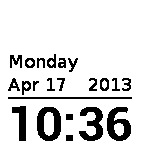
Inverted
Requested by user “niktoo”.
Current Version: 1.1
created by GGCrew
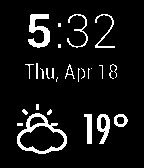
Roboto + Weather
Cool feature: If your pebble loses connection to your phone, this watchface will alert you with vibration and an on-screen “no phone” icon 🙂
You need to have the httpebble app installed on your phone for the weather/link notification to function.
V1.7 – Fix for Android buffers, link errors, and more.
Current Version: 1.6
created by ZoneMR
select a version
Clipped (US Date)
Versions Available : date/nodate, day/month, month/day, and week day in Dutch, English, French, German or Spanish, minutes in small or big digits !
For other flavours : http://download.famillemattern.com/public/pebble/Clipped/
v1.8 : Fixed lack of digit update from time to time
v1.7: Recompiled with PebbleKit 1.1.1 & bug correction
v1.6: Added a no date version
v1.5: Recompiled with PebbleKit 1.1
v1.4: fixed day of week characters sometimes not displaying
Current Version: 1.8

created by Jnm
Clipped (EU Date)
Versions Available : date/nodate, day/month, month/day, and week day in Dutch, English, French, German or Spanish, minutes in small or big digits !
For other flavours : http://download.famillemattern.com/public/pebble/Clipped/
v1.8 : Fixed lack of digit update from time to time
v1.7: Recompiled with PebbleKit 1.1.1 & bug correction
v1.6: Added a no date version
v1.5: Recompiled with PebbleKit 1.1
v1.4: fixed day of week characters sometimes not displaying
Current Version: 1.8

created by Jnm
Clipped (day of week english)
Versions Available : date/nodate, day/month, month/day, and week day in Dutch, English, French, German or Spanish, minutes in small or big digits !
For other flavours : http://download.famillemattern.com/public/pebble/Clipped/
v1.8 : Fixed lack of digit update from time to time
v1.7: Recompiled with PebbleKit 1.1.1 & bug correction
v1.6: Added a no date version
v1.5: Recompiled with PebbleKit 1.1
v1.4: fixed day of week characters sometimes not displaying
Current Version: 1.8

created by Jnm
Clipped (Big minutes US Date)
Versions Available : date/nodate, day/month, month/day, and week day in Dutch, English, French, German or Spanish, minutes in small or big digits !
For other flavours : http://download.famillemattern.com/public/pebble/Clipped/
v1.8 : Fixed lack of digit update from time to time
v1.7: Recompiled with PebbleKit 1.1.1 & bug correction
v1.6: Added a no date version
v1.5: Recompiled with PebbleKit 1.1
v1.4: fixed day of week characters sometimes not displaying
Current Version: 1.8

created by Jnm
Clipped (Big minutes EU Date)
Versions Available : date/nodate, day/month, month/day, and week day in Dutch, English, French, German or Spanish, minutes in small or big digits !
For other flavours : http://download.famillemattern.com/public/pebble/Clipped/
v1.8 : Fixed lack of digit update from time to time
v1.7: Recompiled with PebbleKit 1.1.1 & bug correction
v1.6: Added a no date version
v1.5: Recompiled with PebbleKit 1.1
v1.4: fixed day of week characters sometimes not displaying
Current Version: 1.8

created by Jnm
Clipped (Big minutes day of week english)
Versions Available : date/nodate, day/month, month/day, and week day in Dutch, English, French, German or Spanish, minutes in small or big digits !
For other flavours : http://download.famillemattern.com/public/pebble/Clipped/
v1.8 : Fixed lack of digit update from time to time
v1.7: Recompiled with PebbleKit 1.1.1 & bug correction
v1.6: Added a no date version
v1.5: Recompiled with PebbleKit 1.1
v1.4: fixed day of week characters sometimes not displaying
Current Version: 1.8

created by Jnm
Clipped (No Date)
Versions Available : date/nodate, day/month, month/day, and week day in Dutch, English, French, German or Spanish, minutes in small or big digits !
For other flavours : http://download.famillemattern.com/public/pebble/Clipped/
v1.8 : Fixed lack of digit update from time to time
v1.7: Recompiled with PebbleKit 1.1.1 & bug correction
v1.6: Added a no date version
v1.5: Recompiled with PebbleKit 1.1
v1.4: fixed day of week characters sometimes not displaying
Current Version: 1.8

created by Jnm
Clipped (Big Minutes, No Date)
Versions Available : date/nodate, day/month, month/day, and week day in Dutch, English, French, German or Spanish, minutes in small or big digits !
For other flavours : http://download.famillemattern.com/public/pebble/Clipped/
v1.8 : Fixed lack of digit update from time to time
v1.7: Recompiled with PebbleKit 1.1.1 & bug correction
v1.6: Added a no date version
v1.5: Recompiled with PebbleKit 1.1
v1.4: fixed day of week characters sometimes not displaying
Current Version: 1.8

created by Jnm
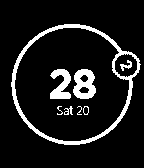
Circling Hours with date
*current hours inside the small circle that will change the position and rotation according to the current time
*current minutes shown in the middle
It’s not jumping from -lets say- 4 hour position to 5 right away, it’s fluent, constant movement recalculated every minute. E.g. if it’s 3:30 the hour would be right between the 3 and 4 hour position, because half of the current hour is over.
Current Version: 1.10
created by SmashD
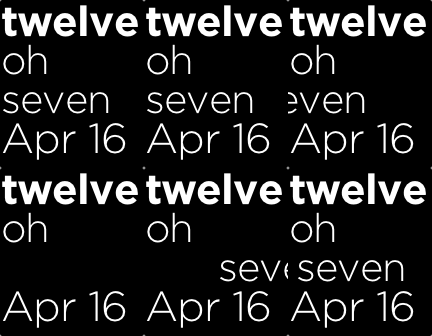
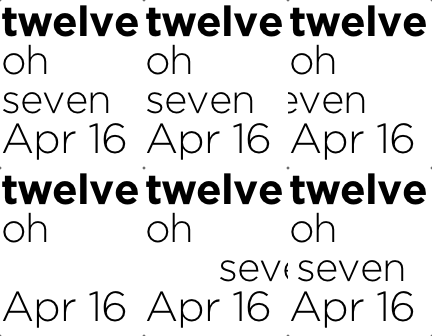
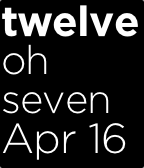
Text watch with oh and date
Current Version: 1.0.1
created by dhertz
Space Invaders
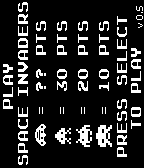
On the splash screen press the button you’d like to use for firing twice (first to confirm, second to start the game). The selected fire button will remain active whilst your in the game, however you’ll need to re-select each time you launch Space Invaders as Pebble currently has no way to store app-level user preferences. The remaining buttons become your left/right controls in the most obvious arrangement, i.e. if you use the select button for firing then the down/up button become left/right. If you select up for firing then down/select become left/right.
Please ‘like’ this (click the thumbs-up icon below) if you want to see improvements and more games – the only incentive for developing is personal gratification and that’s bolstered when you add your voice to the ‘likes’, or when you add comments here or on the Pebble forum (http://forums.getpebble.com/discussion/comment/34145)
Release notes:
0.5
– Easter egg competition! Details here: http://forums.getpebble.com/discussion/5185/competition-pace-invader-easter-egg-hunt
0.4
– improved game over experience
– horizontal progression of invaders increases as their numbers decrease
– updated splash screen to include mystery ship
– your laser impacts the top of the screen just like the real game
0.3 update adds the following:
– performance improvements
– downward progression of invaders. when they reach your bunkers it’s game over man!
– ability to shoot invader bombs
– mystery ship!
– configurable buttons – on the splash screen press the button you want to use for the fire button twice. the remaining 2 buttons will be automatically configured for left/right movement.
0.2 update improves some performance bottle-necks and fixes a number of bugs.
Current Version: 0.5
created by pocketscience
select a version
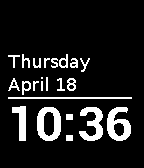
Simplicity Plus (w/o Year)
This watchface was requested by user djd1ddles27.
v1.2 changelist:
– Font deinit code added to deinit_handler.
v1.1 changelist:
– Fixed 1-2 second delay in updating the watchface when switching from another watchface.
Current Version: 1.2
created by GGCrew
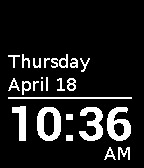
AM/PM in 12-hour mode
This variant was requested by user SkwrHdz.
Current Version: 1.2
created by GGCrew
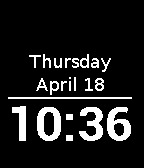
Centered Text
Requested by user freewill1.
Current Version: 1.2
created by GGCrew
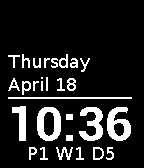
Pay Period – Mid-March
The Pay Periods are defined through 2020:
– 3/17/2013
– 3/16/2014
– 3/15/2015
– 3/20/2016
– 3/19/2017
– 3/18/2018
– 3/17/2019
– 3/15/2020
This variant was requested by user KevinPearson1.
Current Version: 1.2
created by GGCrew
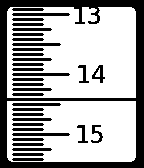
Ruler Watch
This is a new version fixing some of the issues the original version had. It should now honour the 24/12h setting on the watch, show up as a watch app correctly, and have a proper name and icon.
Build with an hourly vibration enabled available here:
https://github.com/davesmylie/ruler_watch/blob/master/build/ruler_pulse.pbw?raw=true
Inverted Color (white on black) build available here:
https://github.com/davesmylie/ruler_watch/blob/master/build/ruler_inverted.pbw?raw=true
Current Version: 1.5
created by davesmylie
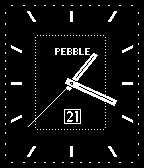
Classic
http://forums.getpebble.com/discussion/4326/watchface-classic-and-plain-update-v2-1/p1
versions available:
-no second hand
-additional digital time teller instead of logo
-hour vibration(8AM-8PM)
Send me your bitcoins here: 1DAvDGQCXJtL2SHPz47QUjaSXBXLSXwThJ
Current Version: 2.1
created by zalew
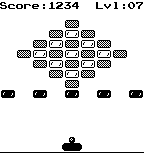
Pebloid
It was not as easy as I thought and I hit the 24k app-size limit more than once. 🙂
Control: (can be changed, see below)
‘up’ – move left
‘select’ – start / pause game
‘down’ – move right
There are five different kind of ‘power-ups’:
1. extraball
2. slow ball
3. fast ball
4. ‘power’-ball (destroys blocks without being reflected)
5. missile launcher (automatically launches missiles from your paddle)
Currently there are 34 levels but if you’ve finished level 34 it starts over at level 1 with a slightly faster ball.
If you like my work, consider donating via Paypal: donate
V2.2:
– Added a new PowerUp: Missile launcher!
– Added 14 more levels.
– The duration of active PowerUps is now show at the bottom.
– The Ball should now reflect correctly at blocks.
– Made blocks one pixel smaller so one additional column fits in.
– Existing levels slightly redesigned because of the additional column.
– You gain an extra live each 250 Points.
– A lot of tweaks under the hood to reduce the app-size to get all the new stuff in.
V2.1:
– Added a missing long_click-release handler (This is the only thing which may rudimentary could cause issues)
– Fixed a bug that the ‘Slow ball’-powerup had increased the ball-speed instead of slowing it down.
– Did some memory-optimization (Just saved 96 Bytes however 🙂 )
V2.0:
– game-engine optimized. Now runs at 50fps.
– long-press ‘select’ to enter options. You can choose which button controls which direction (as usual options are not persistent)
– game can be paused (press ‘select’ while game is running).
– ball becomes faster each time you’ve finished all 20 levels.
V1.1:
a few things are fixed.
Added more levels (it’s 20 level now).
Current Version: 2.2
created by justdoit
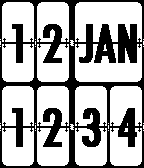
FlipClock
Flipping animation to come in future release.
Current Version: not available
created by Japh
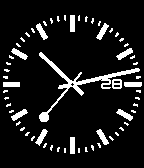
Swiss-Railway
Huge thanks to David Hein for rendering the watch face image
There are day version and non-day version, you can download it at http://ge.tt/39WtlZf
Update to v1.1: fix day issue, thicker hour and minute hand
Current Version: 1.1
created by bubbyyby
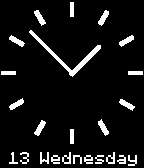
Simple Analog + Date
Current Version: not available
created by ice2097
Fancy
http://forums.getpebble.com/discussion/4842/analog-watchface-fancy/p1
versions available:
-no second hand
-no date
-hour vibration (8AM-8PM)
Send me your bitcoins here: 1DAvDGQCXJtL2SHPz47QUjaSXBXLSXwThJ
Current Version: 1.0

created by zalew
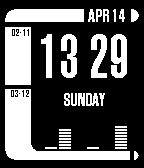
LCARS01
Instead of unix timestamp, I put the day of the week below the time. The graph at the bottom shows seconds in binary.
Source code at: https://github.com/MarkAdamson/LCARS01
Current Version: not available
created by MarkAdamson
select a version
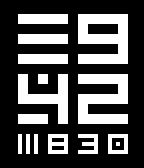
Squared
Date format is MM/DD
Current Version: 1.3
created by lastfuture
Squared (european date)
Date format is DD/MM
Current Version: 1.3
created by lastfuture
Squared (leading zeros)
Date format is MM/DD, leading zeros are preserved
Current Version: 1.3
created by lastfuture
Squared (european leading zeros)
Date format is DD/MM, leading zeros are preserved
Current Version: 1.3
created by lastfuture
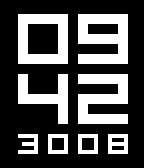
Squared (clean)
Date format is MM/DD, no ornaments
Current Version: 1.3
created by lastfuture
Squared (clean european)
Date format is DD/MM, no ornaments
Current Version: 1.3
created by lastfuture
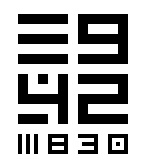
Square (inverted)
Date format is MM/DD
Black on white (special request)
Current Version: 1.3
created by lastfuture
select a version
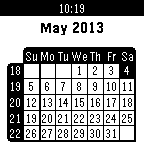
Pebble Calendar English Sunday
THIS IS NOT A WATCHFACE! You have to click the Select button and navigate down to this app to launch it!
You can change the displayed month by using the 3 right buttons of the watch. Up & Down buttons go to previous & next months, Select jumps to current month.
Many versions available, combinations of :
– Dutch, English, French, German, Italian or Spanish
– Sunday or Monday as first day of week
– Optional display of week numbers
– Optional display of public holidays for France & USA
All versions available at:
http://download.famillemattern.com/public/pebble/pebble-cal/
Feel free to hack the code to add your country’s Non Working days!
Current Version: 1.1
created by Jnm
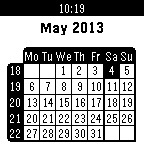
Pebble Calendar English Monday
THIS IS NOT A WATCHFACE! You have to click the Select button and navigate down to this app to launch it!
You can change the displayed month by using the 3 right buttons of the watch. Up & Down buttons go to previous & next months, Select jumps to current month.
Many versions available, combinations of :
– Dutch, English, French, German, Italian or Spanish
– Sunday or Monday as first day of week
– Optional display of week numbers
– Optional display of public holidays for France & USA
All versions available at:
http://download.famillemattern.com/public/pebble/pebble-cal/
Feel free to hack the code to add your country’s Non Working days!
Current Version: 1.1
created by Jnm
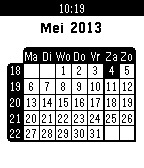
Pebble Calendar Dutch Monday
THIS IS NOT A WATCHFACE! You have to click the Select button and navigate down to this app to launch it!
You can change the displayed month by using the 3 right buttons of the watch. Up & Down buttons go to previous & next months, Select jumps to current month.
Many versions available, combinations of :
– Dutch, English, French, German, Italian or Spanish
– Sunday or Monday as first day of week
– Optional display of week numbers
– Optional display of public holidays for France & USA
All versions available at:
http://download.famillemattern.com/public/pebble/pebble-cal/
Feel free to hack the code to add your country’s Non Working days!
Current Version: 1.1
created by Jnm
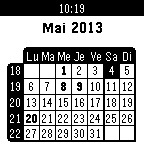
Pebble Calendar French Monday Non Working Days
THIS IS NOT A WATCHFACE! You have to click the Select button and navigate down to this app to launch it!
You can change the displayed month by using the 3 right buttons of the watch. Up & Down buttons go to previous & next months, Select jumps to current month.
Many versions available, combinations of :
– Dutch, English, French, German, Italian or Spanish
– Sunday or Monday as first day of week
– Optional display of week numbers
– Optional display of public holidays for France & USA
All versions available at:
http://download.famillemattern.com/public/pebble/pebble-cal/
Feel free to hack the code to add your country’s Non Working days!
Current Version: 1.1
created by Jnm
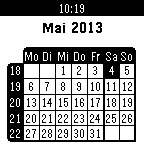
Pebble Calendar German Monday
THIS IS NOT A WATCHFACE! You have to click the Select button and navigate down to this app to launch it!
You can change the displayed month by using the 3 right buttons of the watch. Up & Down buttons go to previous & next months, Select jumps to current month.
Many versions available, combinations of :
– Dutch, English, French, German, Italian or Spanish
– Sunday or Monday as first day of week
– Optional display of week numbers
– Optional display of public holidays for France & USA
All versions available at:
http://download.famillemattern.com/public/pebble/pebble-cal/
Feel free to hack the code to add your country’s Non Working days!
Current Version: 1.1
created by Jnm
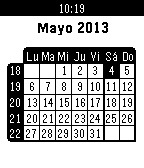
Pebble Calendar Spanish Monday
THIS IS NOT A WATCHFACE! You have to click the Select button and navigate down to this app to launch it!
You can change the displayed month by using the 3 right buttons of the watch. Up & Down buttons go to previous & next months, Select jumps to current month.
Many versions available, combinations of :
– Dutch, English, French, German, Italian or Spanish
– Sunday or Monday as first day of week
– Optional display of week numbers
– Optional display of public holidays for France & USA
All versions available at:
http://download.famillemattern.com/public/pebble/pebble-cal/
Feel free to hack the code to add your country’s Non Working days!
Current Version: 1.1
created by Jnm
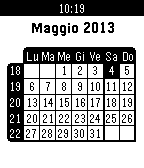
Pebble Calendar Italian Monday
THIS IS NOT A WATCHFACE! You have to click the Select button and navigate down to this app to launch it!
You can change the displayed month by using the 3 right buttons of the watch. Up & Down buttons go to previous & next months, Select jumps to current month.
Many versions available, combinations of :
– Dutch, English, French, German, Italian or Spanish
– Sunday or Monday as first day of week
– Optional display of week numbers
– Optional display of public holidays for France & USA
All versions available at:
http://download.famillemattern.com/public/pebble/pebble-cal/
Feel free to hack the code to add your country’s Non Working days!
Current Version: 1.1
created by Jnm
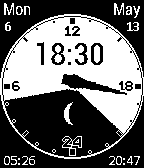
24H Sun Moon Phase
Also see the GetPebble Forum Discussion Thread:
http://forums.getpebble.com/discussion/5112/watch-face-pebble-24-hour-sun-clock-with-added-moon-day-date-optional-hourly-vibe-function
The PBW attached is a DEMO geographic version. However, for those that want to compile their own geographic version:
– Before compiling, ensure to configure your location (longitude/latitude) and time zone by editing src/config.h.
– Use the following URL to find your location http://itouchmap.com/latlong.html
– Configure Vibe function (default is false) by editing src/config.h.
– # define HOUR_VIBRATION true
Thanks to:
– Michael Ehrmann (Boldo) for the original SunClock source
– Chad Harp for the Almanac source
– Dersie for beta testing the revised code
– Slayer1551 at MyPebbleFaces for creating a decent 1-Bit Black & White image for me. 🙂
NOTE: If you decide to reuse the code or make changes, please ensure you credit the authors. Thank you.
Current Version: 0.1
created by KarbonPebbler
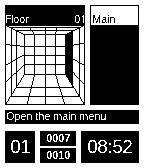
MiniDungeon
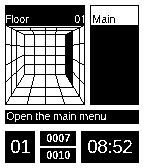
While the app is running, once per minute there is a random chance of an event happening. You can end up finding a useful item, finding the ladder to the next floor, or being attacked by a monster. The farther you go in the dungeon, the stronger the monsters become. As you defeat monsters, though, you will also gain in power.
If you wish to pause your adventure, simply use the select button to enter the main menu. There is also the ability to turn off the vibration alert through the options menu.
Version 1.2:
Fix bug where a shop will take your money even if you do not have room for more items.
Increased limit per item time to 99.
Current Version: 1.2
created by Torivon
MiniDungeon – Unofficial
MiniDungeon is a small adventure game on your watch. The goal is to survive to the 20th floor of the dungeon and defeat the final monster there. In order to aid you with this task, you have a sword to deal physical damage to monsters. You will also find in the dungeon potions to heal yourself as well as offensive items to help take down the more powerful monsters.
While the app is running, once per minute there is a random chance of an event happening. You can end up finding a useful item, finding the ladder to the next floor, or being attacked by a monster. The farther you go in the dungeon, the stronger the monsters become. As you defeat monsters, though, you will also gain in power.
If you wish to pause your adventure, simply use the select button to enter the main menu. There is also the ability to turn off the vibration alert through the options menu.
Version 1.2:
Fix bug where a shop will take your money even if you do not have room for more items.
Increased limit per item time to 99.
Current Version: 1.2