
The best App for August goes to Marked - by lkemitchll!
Now vote for your favourite App of the month! Simply login and choose "vote for this app" See who's in the running for October

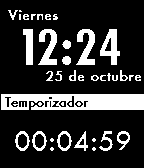
Time Machine Spanish
Description
¿Echas en falta un cronómetro y un temporizador en tu Pebble? Basado en "Timer" de Micahw. ¡Todos los kudos para tí, tío!
INSTRUCCIONES:
Presiona el botón ARRIBA para acceder al cronómetro. Presiona el botón ABAJO para acceder al temporizador.
TEMPORIZADOR
- Mantén pulsado el botón de SELECCIÓN para cambiar el tiempo, ajustando las horas/minutos/segundos con los botones de arriba y abajo. Mantén pulsado de nuevo el botón de selección para fijar el tiempo.
- Presiona el botón de SELECCIÓN para iniciar/pausar el contador.
- Presiona dos veces el botón de SELECCIÓN para restaurar el temporizador.
CRONÓMETRO:
- Presiona el botón de SELECCIÓN para iniciar/pausar el cronómetro.
- Presiona dos veces el botón de SELECCIÓN para restaurar el cronómetro.
¡Disfruta!
Tus comentarios son bienvenidos. Comenta para avisar de errores o ideas para mejorar Time Machine.
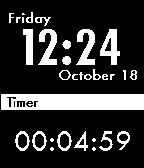
Time Machine
Description
Missing a timer and a chronograph on your Pebble? Based on "Timer" by Micahw. All kudos for you man!
INSTRUCTIONS:
Press the Up button to access the Chronograph. Press the Down button to access the Timer.
TIMER:
- Hold down the Select button to change the time, adjust the hours/minute/seconds with the up and down buttons, then hold select again to lock in the time.
- Press the Select button to start the timer.
- Double press the Select button to reset the timer.
CHRONOGRAPH:
- Press the Select button to Start the Chronograph
- Double press the Select button to reset the Chronograph.
Enjoy!
All your feedback is welcome. Comment for report bugs or ideas to improve Time Machine!

Pebblenome - Metronome App for Pebble
Description
This is a metronome application for Pebble. It has two main features: it can vibrate and blink at a user-specified rate and it can help the user determine a particular tempo. It runs exclusively on the watch and has no smartphone component.
The watch has three screens:
1. Main metronome screen. Here the user can change the tempo up or down (with auto repeat and fast repeat) and start/stop the beat.
2. Find the Tempo screen. Get to here from the main metronome screen by double-tapping the select button. Tap the down button at the tempo you're hearing and the screen will update to show you the numeric tempo at which you're tapping. The top value is the instantaneous tempo and the bottom value is the average tempo over your last four taps. Tap the select button and you'll be returned to the main metronome tempo screen with the average tempo as the new tempo.
3. Pebblenome configuration screen. You get here by long-pressing on the select button from the main metronome screen. Here you can turn vibrating on the beat on or off, you can change the vibration duration, and you can set how many times the metronome will beat before stopping. This latter feature could be useful if you were conducting or starting a piece and wanted a steady tempo to get going but didn't want the watch beating the tempo all the way through.
A note about compatibility: This was built against 1.12.1 of the Pebble SDK. Also, in order to improve the accuracy of the "find the tempo" process, I had to bypass the OS and directly use a hardware timer (TIM5). This means that the app is fragile and could break horribly on the next OS update. Or, if some other app uses TIM5 awful things might happen. You've been warned.
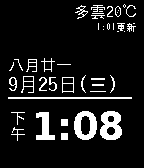
Simple Chinese Weather
Description
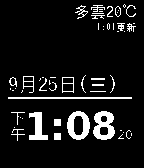
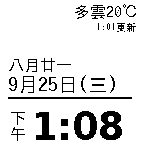
Simplicity based Chinese watchface
INPORTANT: in order for the weather function to work properly, you have to install a bridge agent on you phone: for example, "pebble connect" on Android, or "httpebble" on iOS.
Featuring:
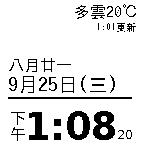
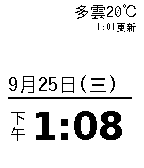
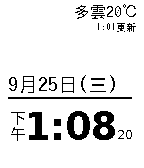
0. Current weather condition and temperature from yahoo
1. Chinese Calendar date (or you can choose not to include it by picking other sub edtion)
2. Gregorian Calendar date in Chinese
3. Day of week in Chinese
4. 24h style clock supported
5. Option to include second display
6. 8 sub watchfaces to choose

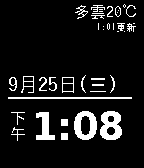
Simple Chinese Weather (NS)
Description
without Chinese calendar date, but with second
Simple Chinese Weather (NW)
Description
black on white without Chinese calendar date
Simple Chinese Weather (NSW)
Description
black on white without Chinese calendar date, but with second
Back to the Future - Marty McFly
Description
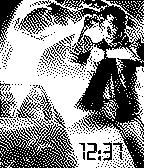
Marty checks his watch, he can't believe what the time is!

Back to the Future 1885 clock
Description
The 1885 clock as featured in Back to the Future 3. Modified to show the current time!
Mechdyne
Description
Mechdyne is an amazing company from small town Marshalltown Iowa, but do tech work all over the globe.

UNAM
Description
Universidad Nacional Autónoma de México
A pretty good watchface for UNAM fans.
Zombie Time
Description
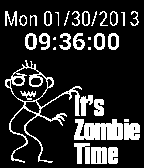
Halloween is right around the corner and The Walking Dead is back. That can only mean one thing. It's Zombie Time!
http://www.biolegend.com/live_dead
BioLegend develops world-class, cutting-edge antibodies and reagents for biomedical research, manufactured in our state-of-the-art facility in San Diego, CA. Our mission is to accelerate research and discovery by providing the highest quality products at an outstanding value, along with superior customer service and technical support.
http://www.biolegend.com/
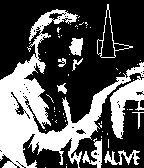
I Was Alive (Breaking Bad)
Description
Watchface made by Nate Birkas, with WatchFace-Generator.de
Walter White's last breathing moment, with caption "I was alive".
Based off of a beautiful painting by Isabella Morawetz, with text saying "I was alive" and analog watch in top-right.

Code128 - 24h - time - The not so consequent barcode watchface
Description
Shows time in Code-128
(for more info: http://en.wikipedia.org/wiki/Code_128)
uses 24h format
e.g.:
"14:47"
use your favorite Code-128 barcode scanner to decode
...or just read the plain text -.-
For all those who don't need plain text, check out the hardcore version:
http://www.mypebblefaces.com/apps/8688/6257/
You like this watchface? Send me a pic of you with your barcode-pebble!
[email protected]











SmarStatusAnalog
Description
Digital version (SmartStatus-op) available here: http://www.mypebblefaces.com/apps/3027/6714/
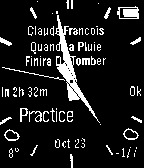
This is an analog version of my SmartStatus-op app (http://www.mypebblefaces.com/apps/3027/6714/), itself a modified version of the SmartStatus watch app by Robert Hesse. It only works in conjunction with the Smartwatch+ iOS app available on the Apple App Store: http://itunes.apple.com/us/app/id711357931?mt=8
On screen info:
- time and date (month and day only)
- status information showing the connectivity status with the phone app
- battery indication (icon only, no text)
- current day's weather icon and current temperature
- next day's forecast icon and min/max
- artist and title info/street and city name
- next appointment
Notifications:
- vibes on time of currently displayed appointment
Buttons:
- middle: play/pause on short press, find-my-phone on long press
- up/down: volume up/down
Known issue:
Some times the communication with the phone stops on a timeout error and never recovers. It seems that the BT communication of the watch dies and you need to reset the Pebble. It looks like the Pebble might be resetting once or twice a day while the app is running.

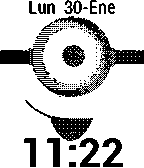
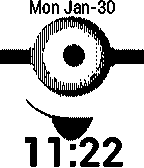
b****please
Description
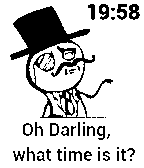
This is a meme watch-face with digital time.
Hope you enjoy it.
Cédric D.
Platt Klock
Description
Endlich! Die Fuzzy-Uhr mit plattdeutscher Textanzeige. Kultig!
Herrlich plattdeutsch, z.B. Fief na twee
Coded by stoffix
1039 The Bear - White
Description
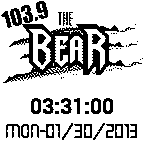
Exactly like the black face but with a white background.
A tribute to Mishawaka, IN's 103.9 The Bear
Made with Pebble Watchface Creator
1039 The Bear - Black
Description
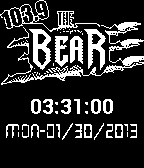
A tribute to 103.9 The Bear in Mishawaka, IN.
Made with Pebble Watchface creator
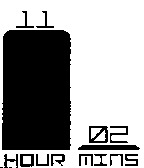
Time Bars
Description
A simple 12/24hr watchface with bars that grow to represent the time. Hours/minutes are displayed at the top of the bars.
To-do: add animation to the hour transitions.
Other Versions
Time Bars Inverted

Description
Same watchface, colours inverted.
Other Versions


Lol Face
Description
Just a LOL-Face with Time 😀
Hope you enjoy this simple watchface.
Cédric D.

Iowa State
Description
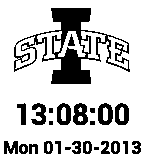
Here is a watch face fashioning the I-State Logo for Iowa State University (ISU).
FASGA
Description
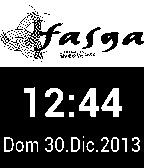
Reloj digital con icono del sindicato al que pertenezco y con calendario con dias y meses en castellano

Bitcoin Watchface USD
Description
Simple watchface that displays the time and the current selling value of bitcoin.
The bitcoin value is updated every minute.
Available in EUR and USD versions.
Httpebble app is required on the phone.

Bitcoin Watchface EUR
Description
Simple watchface that displays the time and the current selling value of bitcoin.
The bitcoin value is updated every minute.
Available in EUR and USD versions.
Httpebble app is required on the phone.

Funasshi Clock!
Description
Funasshi, the unofficial mascot of Funabashi City, Chiba, now has his own Pebble watchface!
Made with Watchface Generator:
http://www.watchface-generator.de/
SegmentX
Description
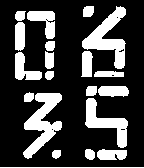
This digital watch face has number segments formed using clock hands.
Looks great on pebble watch.
-12Hr format, No Date,.
Bigtime iOS7 inverted
Description
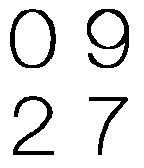
A digital watch with large digits using iOS 7 number font.
Watch face looks great on pebble.
12 Hr, No date, Inverted.
Dashie 20% cooler
Description
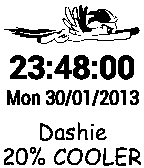
Starring Rainbow Dash from My Little Pont (MLP). Feel free to comment. I wish I could have the animation of Rainbow Dash actually flying, but that is above my knowledge.